What a journey! or is it a beginning of wonderful lifelong discovery?
I have learned so much in the past few weeks, it reminded me how much I enjoyed and missed learning, especially the new technologies in that wild wild digital world. Of all the web 2.0 technology we learned, libraries are positioned to take advantage of every single one to expand our area of expertise and grow our profession. In reality, HCL has already utilized many to meet our customers and communities in the cyberspace: RSS feeds, tagging, downloadable audio books, desknow and other open source technologies, etc. So my favorites are many, though some of which have similar functions. I certainly will maintain, improve and expand on my current Blog, use tagging and my Del.icio.us social bookmarking tool to share ideas with others, check in on my RSS, using my MP3 player with audio books, podcasts, etc. I could use Rollyo to help someone who has special interest in one subject area. And I believe among all 23 things, Library thing will be most often used among staff for readers' advisory, etc. I will explore the possibility with John, of working with teens in our teen club to make photo albums with Flickr, or podcasting with podcast, or video clips with YouTube. And last but not the least, MERLIN - a local library professional information network, will be an essential tool to help me stay current.
It's overwhelming! The challenge remains to be the same - too little time, too many "things" to do. If there is any disappointment with this training program, it has to be time constraint, especially for me who've really enjoyed the exploring and learning experience. I was fascinated by all sorts of new discoveries and get carried away. Thanks to John - the web-wiz, who came to the rescue many times when I was stuck somewhere along the way. So polling resources, learning from my colleagues, and to separate the irrelevant from resources of real value are vital in handling the amount of information out there - the very same reason that librarianship or it's metamorphosis will sustain. If a similar discovery program is offered in the future, I would definitely participate. But hopefully, we would be given sufficient time to explore. Secondly, even though this is a self learning program which differs from a structured training, some staff would really appreciate more hand-holding at the beginning of each exercise, given everyone is not on the same starting line.
Journey through 23things has been a humbling experience for me - a tech savvy person years ago. I realized how far I've left behind. In today's world, technology advances at the speed of light, people's learning and information gathering behaviors are changing, and the libraries are evolving along with the advances. To stay relevant, we as a profession need to keep learning and discovering. I am thankful that 23 things gave me a chance to catch up and my blog is the jumping board to the fascinating web 2.0/library 2.0 world.
To close this posting, not the "things", you see, I'd like to show you a YouTube video of Jeff Han's multi-touch computer screen first made public in August, 2006. Oh! the wonderful cyberspaces we will go!
This is a latest demo on Perspective Pixel's website made in Jan. 2007.
Tuesday, November 20, 2007

Thing 21 - Discover podcasts
Podcasting, for short, is a technology that allows you to post audio files on the Internet. The examples of how libraries use this technology given on 23things website are terrific and thought provoking. We could make podcasts for our summer reading booktalks, children's and adult classes, author events, spelling bees, etc. The customers can get to them at their convenience. After a quick search on Podcast.net, I found The Calmcast. It features relaxing music, bird song and the sounds of nature to help you unwind. I have really enjoyed listening to it and decided to add the RSS feed to my bloglines account, and will come back visiting often.
Thing 20 - Discover YouTube
Oh! I finally made myself get out of it. This is addictive. YouTube makes posting, downloading and sharing videos easy and fast. I found pieces from 3D Morphable Model Face Animation to 3D Medical Animation of Childbirth. You can find information for teaching, learning, self help, entertaining, you name it. It's not a surprise YouTube has become a social phenomena. I found an awesome piece done by University of Minnesota entitled: Moebius Transformations Revealed. Enjoy!
Here is another one I am amazed by - Creation
As for utilizing this technology for libraries, why don't we try to make a YouTube video for Summer Reading booktalks or some of the A+ presentations?
Here is another one I am amazed by - Creation
As for utilizing this technology for libraries, why don't we try to make a YouTube video for Summer Reading booktalks or some of the A+ presentations?
Thing 19 - Web 2.0 awards list
Wow! the enchanted world of web 2.0! For the sake of saving time, I'm choosing Flickr since I already have an account, plus the fact I didn't spend enough time to explore it when I did thing 5 and honestly, it' s just so much fun playing with it! Flickr is really easy to use and dynamic. I had no trouble down load some pictures on my homepage, made my own icon from Meez. Knowing how the safety features work, I will make very good use of it. As for the library, a Flickr account to store all of our event photos may not be a bad idea.
Thing 18 - Online productivity tools
Well, I like the idea of online web-based applications. It's a convenient and efficient way to share documents in group projects, committees, task forces, etc. Personally, I'm just happy not to worries about compatibilities and to carry disks or flush drives. Not sure if this is a good idea for classified or sensitive docs, though. Let's try to insert a photo from the web and upload this entire doc to my blog.

My first Zoho Doc
I did it! The entire post above is imported from my Zoho account. Wish I have time for more.
Thing 16 & 17 - Wikis and Learning 2.0 Sandbox
The first time I heard about Wiki is at "Computers in Libraries" annual conference in Washington D. C. two year ago. I understood what it is and how it works but have never really studies it, beside occasional use of Wikipedia to help with reference questions, with caution, of course. As a social software, Wiki has democratized the process of designing a website. It allows anyone the ability to take part in the creation and editing of web content, thus providing an outstanding platform for collaborative work. As for public wikis, I still have some reservation due to the possibility of vandalism and spam. A look at the message on"Library 2.0 in 15 Minutes a Day" - a page of the Oregon Librarian Instruction wiki by Sam Wallin, validated my concern. Nonetheless, as previously stated, I found Wiki a valuable resource for internal information sharing, such as meeting agendas, documents and files, conference programs, etc.; certainly a great platform for bookclub members to discuss and share their thoughts and ideas; and can be a helpful learning tool. I found a HTML Wiki site, seemed like a great refresher for HTML coding and added it to my del.icio.us account.
When I get to the sandbox to play, the PB Wiki Tour is down. The Sandbox was fun to play with. I was able to create an new page and added this blog to the Favorite Blogs page. I can't "play" any more knowing I have more "things" to do. Will be back though!
When I get to the sandbox to play, the PB Wiki Tour is down. The Sandbox was fun to play with. I was able to create an new page and added this blog to the Favorite Blogs page. I can't "play" any more knowing I have more "things" to do. Will be back though!
Things 15 - Web 2.0, Library 2.0 and the future of libraries
The suggested YouTube video "The Machine is Us/ing Us" by Michael Wesch fascinated me. But it could be somewhat fast for those who are never exposed to HTML. I spent a little bit more time playing around the related videos listed on the right column and found the following video by Utechtips which, I think, is easier to understand. Take a look for yourself!
Library 2.0, to describe loosely, means Web 2.0 technologies, concepts and philosophies adapted to the Library world. A few years ago on our staff day, one of the group discussion topics is on the subject of future libraries. We had strong believes that books will never disappear, but along the journey of 23things, I am not that sure anymore. "Technology" comes at your fast! A decade ago I was able to use HTML to create my first personal website and showed it off to my colleagues, and since then, unaware I have been left behind. Thanks to 23things I was able to catch up, more accurately, start to catch up, with web 2.0 technologies. At the speed and direction we are going, the future libraries will not be confined in a physical location, they will be everywhere, barrier-free, and participatory. They will provide digital downloads of books; globally accessible catalog and invite readers' tags and comments; services that tailor information to specific needs and that develop participatory relationships with customers. There will be virtual librarians or librarian avatars helping customers organize, annotate and compare information from a variety of useful resources. We will be working in the virtual world as much as, is not more than, the traditional library we work in now. The best way to prepare ourselves for the future libraries is to adapt to user needs and to learn as technologies evolve, and make ourselves relevant to the community we serve. 23things training program just gave us a perfect opportunity to do that.
Library 2.0, to describe loosely, means Web 2.0 technologies, concepts and philosophies adapted to the Library world. A few years ago on our staff day, one of the group discussion topics is on the subject of future libraries. We had strong believes that books will never disappear, but along the journey of 23things, I am not that sure anymore. "Technology" comes at your fast! A decade ago I was able to use HTML to create my first personal website and showed it off to my colleagues, and since then, unaware I have been left behind. Thanks to 23things I was able to catch up, more accurately, start to catch up, with web 2.0 technologies. At the speed and direction we are going, the future libraries will not be confined in a physical location, they will be everywhere, barrier-free, and participatory. They will provide digital downloads of books; globally accessible catalog and invite readers' tags and comments; services that tailor information to specific needs and that develop participatory relationships with customers. There will be virtual librarians or librarian avatars helping customers organize, annotate and compare information from a variety of useful resources. We will be working in the virtual world as much as, is not more than, the traditional library we work in now. The best way to prepare ourselves for the future libraries is to adapt to user needs and to learn as technologies evolve, and make ourselves relevant to the community we serve. 23things training program just gave us a perfect opportunity to do that.
Monday, November 19, 2007
Thing 13 & 14 - Del.icio.us, Tagging and Technorati
Created a Del.icio.us account at the beginning of the program and now it's time to play and explore. I find Del.icio.us an easy to use and handy tool. It allows you to put all your bookmarks in one place that is accessible from different computers. More over, by checking out other's bookmarks, it provides a network of resources that you may find helpful. I already have a few I visit frequently and will gradually build up my list. A tag is simply a word you use to describe a bookmark. Unlike folders, you make up tags when you need them and you can use as many as you like. The result is a better way to organize your bookmarks and a great way to discover interesting things on the Web.
Technorati is, as I understand it, a "search engine" for millions of blogs that exist in the blogosphere. I found this YouTube video through Technorati under "top videos" category. Take a look! Very interesting concept. I am not ready to "join the party" and claim my blog just yet. (Have to improve it)Will come back to it later.
Technorati is, as I understand it, a "search engine" for millions of blogs that exist in the blogosphere. I found this YouTube video through Technorati under "top videos" category. Take a look! Very interesting concept. I am not ready to "join the party" and claim my blog just yet. (Have to improve it)Will come back to it later.
Visual Recital Workshop at Mad Cow Festival 2007
Friday, November 16, 2007
Thing 12 Rollyo

Thing 11 - Library Thing

Wow! As a cataloger decades ago, I labored over OCLC and MARC record to get the materials cataloged. Library Thing was not in my wildest dreams. Back to the reality, I do find Library Thing easy to use and comprehend. It did not take me long to set up a profile, add books to my library, create and add a blog widget to my Blogger page. It is an efficient and productive tool. I will recommend it to book clubs and discussion groups for sure!
Thursday, November 15, 2007
Thing 22 - Downloadable Audio Books
Well, this is the most challenging "thing" so far. I played around on NetLibrary, reserved books on my account, downloaded another to my computer and then transfered parts of the book to my MP3 player with John's help. The process is not very intuitive to me at all. Somehow, the entire book can not be synced to the MP3 player all at once. I can only drag parts of the book to it at one time. Curious to know the check out statistics and wondering how many customers were able to download successfully. One obvious mistake I made is that I did not pay attention to the size of the file on the book I was downloading. It took almost half an hour to finish. Nonetheless, through this exercise, I have much better understanding of how downloadable audio books work and am more confident at answering customer questions regarding this subject. Certainly, I will enjoy listening to the books while I am out and about.
Wednesday, November 14, 2007
Thing 9 - MERLIN and other useful library-related blogs and feeds
 Can't help thinking of our little feathered friend. Alright, the first stop for "Thing 9" is MERLIN. MERLIN stands for Maryland's Essential Resource for Library Information Networks. It is an online community where library staff interact, learn and exchange ideas from one another on subjects related to online technologies. It also provides valuable online learning resources and tools. Among the many useful resources posted, I discovered Maryland's 23Things Network created on Ning by our very own Beth Tribe (Beth, I did join the group but will have to try hard to stay active), SkillSoft online computer training program, and Citebite for email reference. One resource that I think we could put to immediate use is Photo Story - a Microsoft product that can be downloaded FOR FREE from the Microsoft site. It allows you to create a slideshow or movie with your own digital photos and add special effects, sound, and text to produce a high-quality product with very little investment of time or resources. We could use it to make Teen Club movies with the teens. Oh, by the way, I did add this site to my Blogline feeds.
As for other search tools for feeds, Feedster is in the process of updating it's site, we'll exciting new features when it's back up. Topix features local news on it's front page which provides convenience. In addition to the ease of use, Syndic8 now provides helpful new features including: Feed Tagging, Fresh PodCasts in 6 Languages and Fresh News in 6 Languages. But I did not have enough time to figure out how to get them to work. Technorati is a searching tool for finding blogs and RSS feeds for topic specific blogs that interest you. As to joining Technorati, it sounds a little bit more involved than I have time for. But I will definitely revisit.
Thing 8 - RSS Feeds
 Thing 8 is a much appreciated refresher for a RSS training I attended about a year ago. Frankly, I have not used it much until now. Among all the learning aids, I found "Better Days" the most helpful. The tutorial is clear and easy to follow. I'm not sure if RSS will save me time or, I'll become addicted to it and end up spending more time than I can afford. RSS is truly a very smart Web 2.0 technology to handle the amount of information we are overwhelmed with daily.
Thing 10 - Online Image Generator
I had some trouble putting the image together on Meez. The server was alway busy in the afternoon when I usually have time to "play". Regardless, this is a fun and easy to use social networking tool. No wonder the kids are hooked to it! I'm certain this technology will become extremely popular and more sophisticated by the minute. Lesson learned, if you have trouble with Meez in the afternoon, try it early in the morning when the kids are in school!
Monday, November 12, 2007
Thing 7 - Anything Technolology Related?
My second grader is doing a "Good Old Days" project in school. The students are charged to interview their parents with questions on different aspects of what life was like before cable, Internet and video games, and/or when their parents were growing up. Wow! don't I have a lot of reflection to do! The span of remembering how amazed I was by the first calculator I saw to how dazzled I am with the happenings on and over the Internet, makes me feel like a hundred year old already! Recently, the 3D online digital world "Second Life" has caught much media attention. For people like me who never have enough hours in a day, "Second Life" is out of the questions. But out of curiosity - yes, I took a sneak peek at their website anyway.
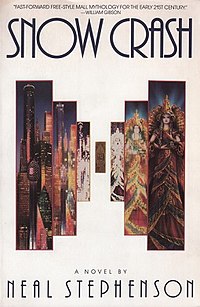 Second Life is one of several virtual worlds that have been inspired by the cyberpunk literary movement, and particularly by Neal Stephenson's novel Snow Crash. The stated goal of Linden Lab who developed Second Life is to create a world like the Metaverse described by Stephenson, a user-defined world in which people can interact, play, do business, and communicate.
In Second Life, the 3-D virtual world is entirely created by its users - Residents. It provides an online society within a 3D world, where users can explore, build, socialize and participate in individual and group activities, create and trade items (virtual property) and services from one another. Since opening to the public in 2003, it has grown explosively and today is inhabited by millions of Residents from around the globe. The showcased video clip "Building Suzanne Vega's Guitar" is fascinating to watch. This is definitely one of the digital technologies we should check in to regularly.
Second Life is one of several virtual worlds that have been inspired by the cyberpunk literary movement, and particularly by Neal Stephenson's novel Snow Crash. The stated goal of Linden Lab who developed Second Life is to create a world like the Metaverse described by Stephenson, a user-defined world in which people can interact, play, do business, and communicate.In Second Life, the 3-D virtual world is entirely created by its users - Residents. It provides an online society within a 3D world, where users can explore, build, socialize and participate in individual and group activities, create and trade items (virtual property) and services from one another. Since opening to the public in 2003, it has grown explosively and today is inhabited by millions of Residents from around the globe. The showcased video clip "Building Suzanne Vega's Guitar" is fascinating to watch. This is definitely one of the digital technologies we should check in to regularly.
Wednesday, November 7, 2007
Thing 6 - Flickr mashups & 3rd party sites
A mashup is a web application that combines data from more than one source into a single integrated tool. In the example below (www.belizemapia.com), Mashup is used to combine data from Google Earth and YouTube, the end result is: you find Xunantunich on the map, click on the icon for it, you have a paragraph of info. describing Xunantunich, AND, if you click on the video tab, you'll see a video clip of a tour guide giving tours of Xunantunich. This can be very helpful with school assignments, research and/or travel planning.


Lifelong Learners.

Good tips from the slide show. I've always believed in lifelong learning, and that is part of the reason I am a librarian today. I can't imagine going through life without continuing to learn. Learning makes life interesting and enjoyable. By nature, we, the librarians, are inquisitive creatures. A question is asked, we WILL find the answer! We learn from the questions we answer, we learn from every book we read, we learn from every training session we take. And how exciting we are challenged by numerous online technologies, and what a great opportunity to learn and stay young!
Tuesday, November 6, 2007
Thing 5 - Explore Flickr

Feeling like this panda, learning slowly, but surely!
Flickr is so much fun! Awesome photographs and easy to share. I located this panda by using tags.
Friday, September 7, 2007
So I am officially a blogger!
This is neat. I've been wanting to find out all about blog for a while. 23 things provides me a perfect opportunity to catch up!
Subscribe to:
Posts (Atom)


